-1024x576.webp)
Van Mockup Built for Real-World Branding
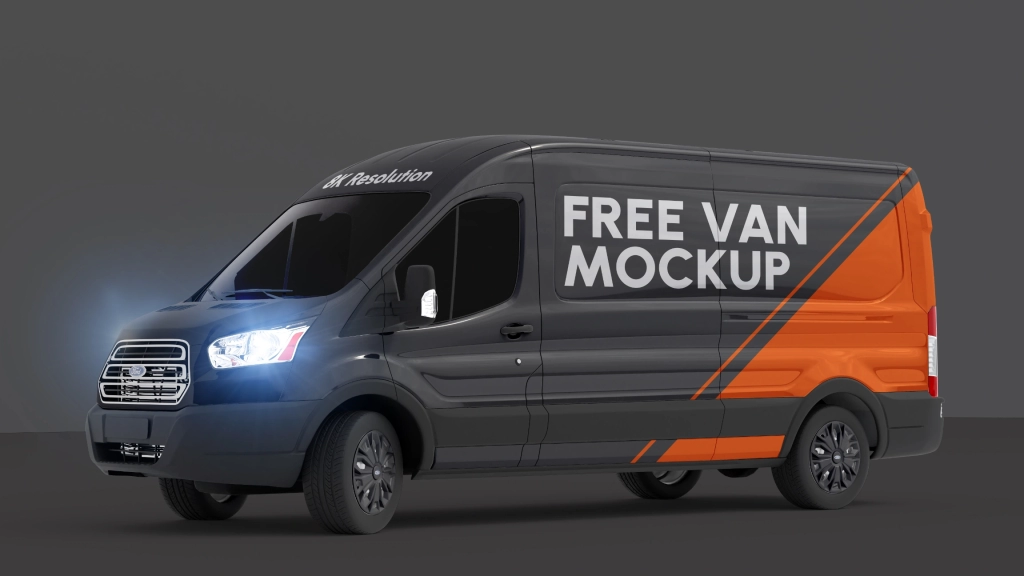
Free Van Mockup gives your branding the size and context it deserves. Whether you’re creating fleet graphics, delivery vehicle wraps, or mobile ad campaigns, this PSD delivers a high-resolution canvas that feels believable, clean, and professionally lit. Smart object layers make it easy to apply your artwork across the van’s surface with zero distortion. Every curve, line, and panel is mapped for clarity—so you can focus on the layout without second-guessing perspective. Perfect for logistics, service brands, food trucks, or event promotions. Present your ideas in a way clients actually understand. Free for personal and commercial use. No watermark. No filler. With smart object layers, customization is effortless—just drag and drop your artwork for a seamless fit. Ideal for branding, advertisements, and promotional content, this mockup ensures your designs make a lasting impact in a real-world environment. Whether you’re pitching to clients or building your portfolio, this mockup delivers unmatched quality and realism. Download the Billboard on Top of Building Mockup today and elevate your design presentations. Free for personal and commercial use—start now!
You may use this asset in unlimited personal and commercial projects. Attribution is not required. Resale, redistribution, or direct hosting is strictly prohibited. All downloads must link back to sinisazec.com.
Read full License and Usage Terms
Free
If you like this free asset, please consider subscribing and supporting me on social media!
FAQ
What are PSD Mockups?
PSD Mockups are customizable templates created in Adobe Photoshop format (.psd) that allow you to showcase your designs, artwork, or products in a realistic and professional manner.
What makes your PSD Mockups unique?
My PSD Mockups are crafted in stunning 8K resolution, providing exceptional clarity and detail. They feature smart layers, enabling easy customization of your designs, and are meticulously organized for seamless editing.
How do I use the smart layers in your mockups?
Simply double-click on the smart layer thumbnail within the PSD file. This will open a new window where you can insert your design or artwork. Once you’ve added your content, save the changes, and it will automatically update in the main mockup file.
Are your mockups compatible with Photoshop versions other than the latest?
While I recommend using the latest version of Adobe Photoshop for optimal performance, my mockups are generally compatible with older versions as well. However, some advanced features may not be available in older versions.
Can I use your mockups for commercial projects?
Yes, you can use my mockups in unlimited commercial projects, including client work, advertising, and websites. Just remember, you cannot resell or redistribute the mockups themselves. Read full License and Usage Terms
Do you provide customer support or assistance with using the mockups?
Yes, I’m here to help. If you encounter any issues or have questions about using my mockups, please don’t hesitate to reach out to me for assistance.
-1024x576.webp)